Uplink AutoShop
Run your workshop from acceptance to invoice.
Workshop management for car repair shops. Accept vehicles, record every repair, keep each car's service history and print invoices, all from the browser on any device.
Features
Everything a workshop does in a day.
Built with mechanics and service advisors in mind: fewer papers on the desk, every job on record.
Accept for repair
Check a vehicle in with its mileage and remarks in a few clicks.
Parts and labour
Record each repair line with quantity, price and percentage discount.
Service book
Every vehicle keeps its own service book and full repair history.
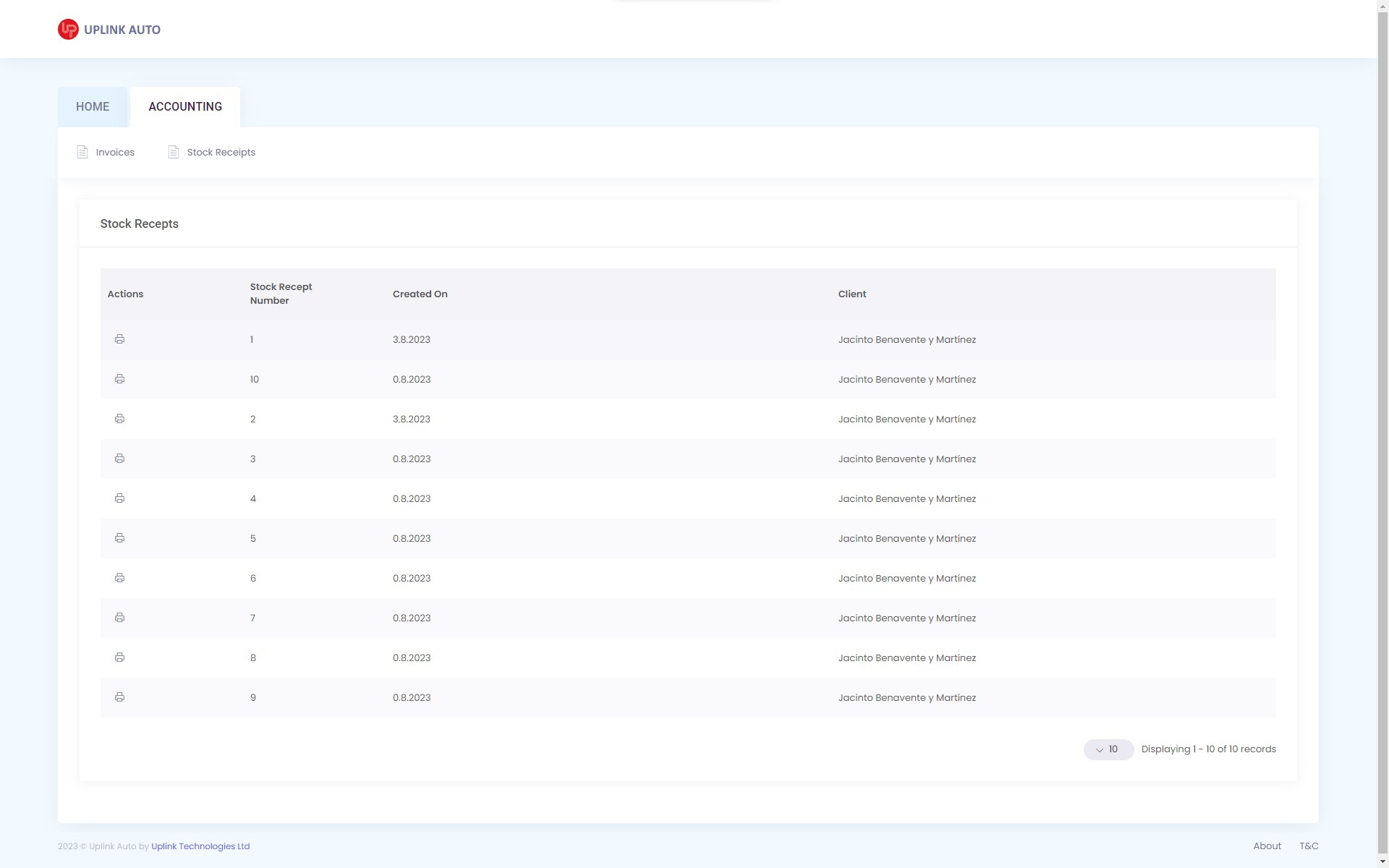
Invoices and stock receipts
Preview, print and reverse documents without leaving the system.
Clients and vehicles
Clients, their vehicles and manufacturers, searchable by client or car.
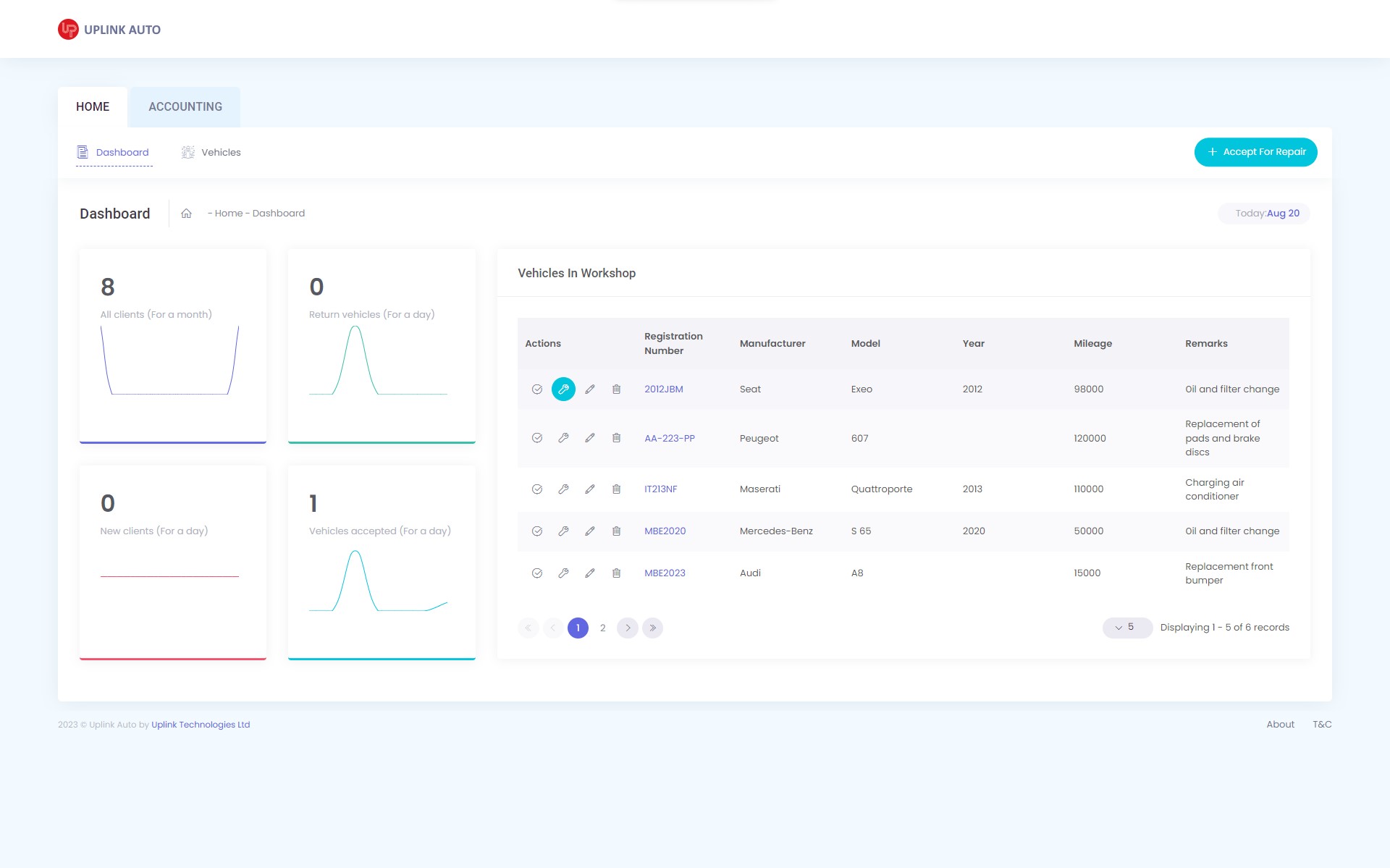
Workshop dashboard
Vehicles in the workshop, new clients, and vehicles accepted and returned.
Invoicing
Documents that write themselves.
The parts and labour you record on a repair become the invoice. Preview it, print it, and keep every invoice and stock receipt one click away.
- Parts and labour lines with quantity, price and discount
- Invoices and stock receipts with print preview
- Reverse a document by copying it into a new one
How it works
One vehicle, start to finish.
Accept for repair
Find the client or add a new one, pick the vehicle and note the mileage and what needs doing.
Record the work
Add the parts and labour as the job goes. The vehicle stays on the dashboard while it's in the workshop.
Invoice and return
Turn the repair into an invoice, print it and hand the car back.
History on file
The repair goes into the vehicle's service book, ready for the next visit.
Subscription
Start without installing anything.
Uplink AutoShop runs online, so there is nothing to set up on your computers. Choose a monthly, three-month or yearly subscription and change or cancel it at any time.
- Any deviceUse it on a desktop in the office or a tablet in the workshop.
- Nothing to installSign in from the browser. We host and update it for you.
- Flexible plansMonthly, three-month or yearly, changed or cancelled when you need.
See Uplink AutoShop in your workshop.
We'll walk you through a day in the system, from the first car in to the last invoice out.